
Build Tips
This page serves as the universal build manual for our kits and provides tips and tricks to make your build a success.
This page serves as the universal build manual for our kits and provides tips and tricks to make your build a success.
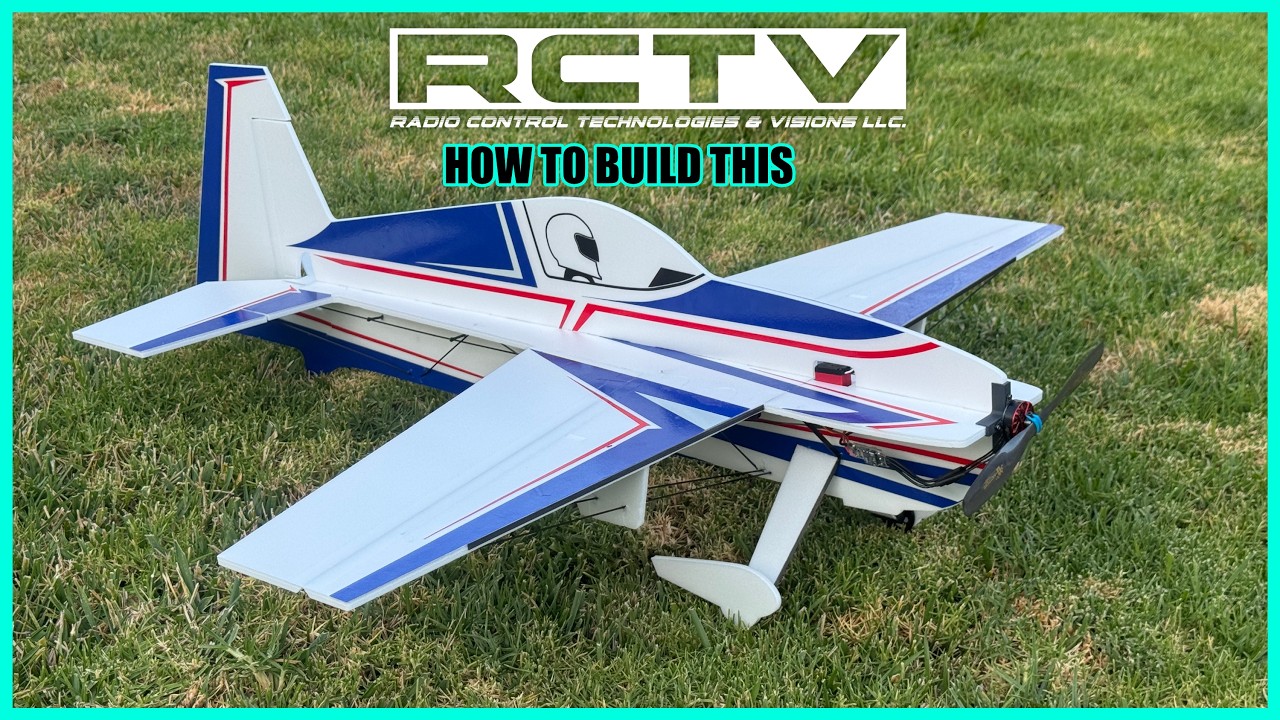

Our Depron Kits are made from 6mm Genuine Depron Foam. This foam is very rigid and lightweight, however not as durable as EPP or other softer foam board materials.
With Depron Foam it is recommended to use Bob Smith Foam Safe Super Gold+ CA. Normal "non-Foam Safe" CA glues will melt the foam. Gorilla Glue Original Formula White also works well for gluing the carbon trussing and provides more work time.
Both 32 and 34" kits share the same standardized Carbon Rod trussing and Carbon Flat Spar layout. In the kits you'll find the pre-cut length carbon fiber hardware is universal between similar sized designs. The following table below shows the qty and lengths as well as where they go.
Also included in our kits is a fully 3D Printed Hardware kit specially designed and optimized for hardcore 3D / XA foamie flying styles. These parts are printed from CF filled filament that will stand the test of the outdoor elements and heat. Within this kit you'll find servo arm extensions and surface control horns with the ball links pre-attached, linkage rod guides, and a motor mount (hole pattern is the T-Motor AM40 Series).
*NOTE that the ball links can be carefully popped off and popped back on, recommendation is to roll the link to one side and gently pull on the link to pop it off. Re-Installing is the same procedure just in reverse.

As stated above, with Depron foam you need to use foam safe CA to glue your parts together as normal CA glue will melt your foam. Gorilla Glue White also works well, particularly for gluing the carbon trussing together due to its expanding properties.
We highly recommend using Bob Smith Foam Safe Super Gold +. This has been our standard way of gluing Depron foam for decades.
A clean workspace is a happy workspace. More importantly a flat work surface such is crucial for making sure that your parts are being glued together properly.
We recommend you build on a flat hard surface like a workbench, tempered glass, granite bench top along with having some weighted objects handy to keep everything flat while rigging up your Depron foamie.
Also recommended to have on hand is some wax paper. Lay down a strip over your work surface to prevent your parts from being glued to the tops of your work benches or cutting mats.

All of our kits come with the carbon rods and carbon flat spars pre-cut to their respective lengths. On the foam you'll find the hole locations for the carbon
All of our 32" and 34"kits share the same carbon trussing layout. Below is the table and diagram to show what goes where.


Our linkage setup is pretty straight forward by utilizing a traditional Push - Pull setup with carbon rods and rod guides.
Included with the kit are the surface control horns and servo arm extensions both of which have RCTV's 3D Printed Ball Links pre-installed.
The surface control horns have a modeled in hinge-line center point to help you align over the pivot point. While the servo arm extensions can be screwed to your normal servo arm.
We recommend to first start with the Elevator and Ailerons. This is done after initial carbon trussing is completed, but before the top fuselage is glued on ( that way it can still lay perfectly flat on the build surface ).
Turn on your radio and power up the servos, get the arm centered and sub trims set. Next you will dry fit the carbon rod linkages into the ball links to verify the length is correct. Apply normal CA to the tip of the carbon rod and install onto the servo end. Once cured, follow up on each surface end.
When doing the elevator and rudder, make sure to slide on 4 to 5 rod guides before gluing the rod to the surface end ball link.
Pinching the surface with your fingers while gluing the surface end carbon rod and ball link is also a good way of ensuring the neutral is correct.
The rods will have some tolerance float to ensure a perfect adjustment while gluing.

While the included rod guides are most builders preferred method of routing the linkages, it can create some vibration noise of the rod rattling in the guides. To silence this, one could choose to use the included Depron rod guide shapes instead or in addition to the 3D printed rod guides. These get glued up against the lower fuselage and the pre-cut slots are where you slide the rod between. This keeps the noise under control.

This is mostly pilot preference, however recommended CG is 212mm or approximately 8-3/8 inches aft from the nose.
Our planes were tested and developed around this CG and provides the most axial rifle rolls. That being said you can experiment with the CG for what feels best for you.

As mentioned in the linkage setup section of this page, it is recommended to start out with the servo arm as zeroed out in arm clocking and sub trim as possible. Once set, the linkages are glued in at this trim setting thus giving you a consistent neutral that will allow you to utilize the full travel of your servo.
For radio setup on our kits we recommend getting as much throw as you can. Either max out your dual rates or end points, which ever works better for your radio system. Sometimes we get too excited and forget to program in any expo on foamies, and they are totally fly-able that way, but we'd recommend starting out using 40% EXPO for a balanced linear feel, and adjust to your style and preference.

Our product pages for each kit show the recommended equipment needed to complete one of our kits. Soon we will offer these as combos on our website.
Below are the recommended electronics.
_______________________________
Motor: T-Motor AM40 V2 F3P 3D/4D
If flying on 3s and using the BPP 4D setup, choose the 1550 kv motor. Otherwise the 1880 kv is the motor of choice for a 2s setup.
_______________________________
ESC: T-Motor AM16A F3P 3D/4D.
Works for either 3s or 2s setups.
_______________________________
Batteries: ThunderPower 2s 500 mAh or 3s 500 mAh ( 25 ProLite Series )
_______________________________
Servos:
JR PROPO ( RCTV's Choice )
DS118 ( Aileron ) S319 ( Elevator and Rudder )
KST
KST08 ( Aileron ) KST06 ( Elevator and Rudder )
Hitec RCD
HS5065MG ( Aileron ) HS45HB ( Elevator and Rudder )